


PhotoDirector: AI Photo Editor
4.223.74K Reviews
App Specs
- Version
- 20.15.1
- Updated On
- License
- Free
- Downloads
- 50,000,000+
- Developer
- Cyberlink Corp
- Categories
- Photography
- Platform
- Android, iOS
Screenshots
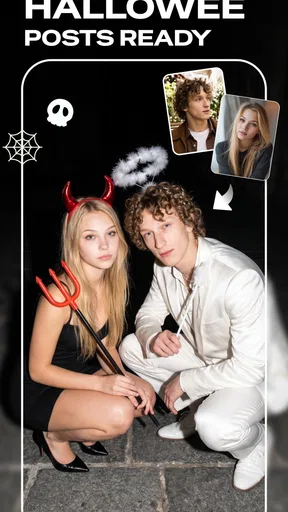

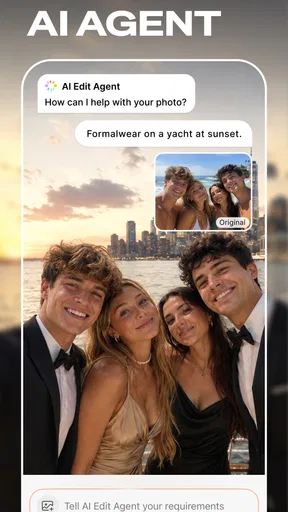
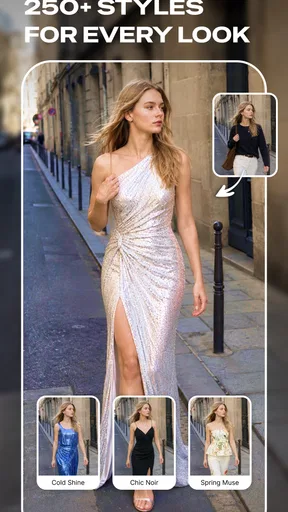
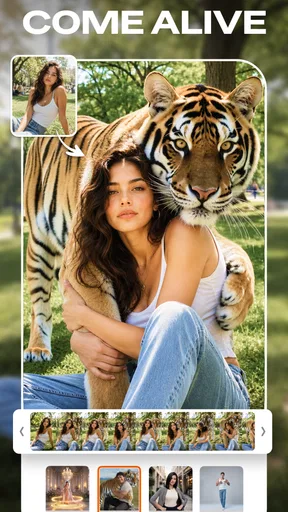
 Analysis by AppCompare
When several people share a phone or tablet, photo editing becomes a small household activity: one person wants to clean up a holiday picture, another wants a playful effect, and someone else just needs a crop before sending an image. I find PhotoDirector: AI Photo Editor most useful in that kind of casual setting, where different people want to make quick changes without first learning a full desktop-style editing program. It is a photography app from Cyberlink Corp, and its mix of automatic tools and hands-on adjustments gives it more range than a basic filter picker.
A shared editing session works best with a clear handoff
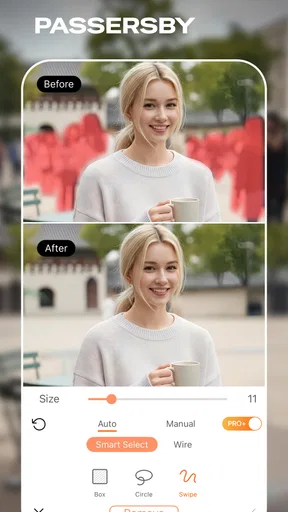
Imagine taking a family photo at a busy park. The background is attractive, but a passerby has wandered into the frame, and the light makes everyone look a little flat. I would use the removal and enhancement tools as separate steps: first try cleaning up the distracting area, then adjust the image’s overall look. That order matters. If I apply a strong style before fixing the composition, I can end up spending time polishing an image I still need to repair.
For a shared device, I would also keep the original photo intact and make edits on a copy when the image matters. That gives the next person room to experiment without turning a quick family snapshot into a debate about who changed what. It is a simple habit rather than a special app feature, but it makes creative apps easier to share. Before passing the phone along, I would show the next editor which image is the working version and which is the untouched one.
Decide who edits and where the finished image goes
PhotoDirector is free to download, so trying it for a single task does not mean committing to a paid editor. Its in-app purchases range from $0.99 to $234.99 per item, though, so I would check the price attached to any feature before confirming a purchase. That is especially sensible on a shared device: agree in advance whether purchases are allowed, and make sure the person holding the phone understands that free access and paid extras are not the same thing.
I would treat account and device boundaries just as carefully. A person editing a picture for a group chat may be comfortable saving the result to the shared gallery, while a personal portrait or private image may belong only on the device owner’s profile or in their own storage. The app should not be mistaken for a family organizer or shared photo library; it is an editor. A quick conversation about whose image is being changed and where the finished version should be kept prevents more confusion than a pile of edits later.
Good for casual creators, less suited to strict workflows
The app is a strong fit for people who want to improve everyday pictures, try a more dramatic look, or make a social post without opening a computer. It can also suit a household where one person enjoys fine-tuning portraits and another only wants a one-tap enhancement. The useful middle ground is that beginners can start with guided-looking tools, while curious users can explore more involved edits as they get comfortable.
I would look elsewhere if my main need were a tightly controlled professional workflow, precise batch processing, or a simple camera roll with no creative tools. A dedicated desktop editor is usually better when I need meticulous control over layers and repeatable output; a built-in phone editor is quicker when all I want is a crop, rotation, or modest exposure correction. PhotoDirector makes more sense between those extremes, but its range can feel like extra weight when the job is tiny.
Worth Reading Before You Choose

EA SPORTS FC Mobile 26 Is a Bigger Football Game, but It Takes Time

Flipboard Shows What News Apps Must Do Beyond the Feed

Switching to Android Auto Means Rethinking Your Driving Routine

Google Calendar Makes a Crowded Week Easier to Manage

Ludo King Makes the Most of the Minutes Between Plans

Baby Panda World Brings Quick Play to Modern Phones, but Its Game Library Feels Busy
Age, trust, and realistic expectations
The app is rated for Everyone, which makes it broadly suitable for general audiences, but that label does not replace household judgement about device use, purchases, or which photos are appropriate to edit and share. I would show a younger user how to undo a change, how to keep an original, and how to ask before posting someone else’s image. Those habits matter more than whether a tool is easy to tap.
AI edits can save time, but they are not a guarantee that every result will look natural. Removing an object near hair, patterned fabric, or a complicated background may leave an area that needs another attempt. For portraits, I prefer small retouching adjustments: strong smoothing can make skin look artificial, especially when the rest of the photo remains sharp. A useful check is to zoom out and view the whole image before saving; a repair that looks convincing close up can still draw attention at normal size.
First Impressions
When I first opened PhotoDirector: AI Photo Editor, I was instantly hooked. The app is sleek, intuitive, and doesn’t overwhelm you with too many options at once. It's perfect for both beginners and more advanced users. The design feels user-friendly, which is a huge plus because who wants to spend hours just figuring out how to use an app, right?
Features Galore
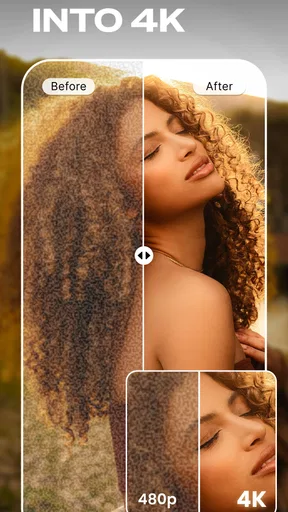
Okay, let’s dive into the juicy stuff. This app is packed with features. Whether you want to do a quick touch-up or dive into some serious editing, PhotoDirector has got you covered. The AI-powered tools are seriously impressive. The sky replacement feature? Absolute magic! You can literally swap out a dull sky for a breathtaking sunset with just a tap. And if you're like me and always want to look your best, the portrait tools are a lifesaver. Say goodbye to blemishes and hello to flawless skin.
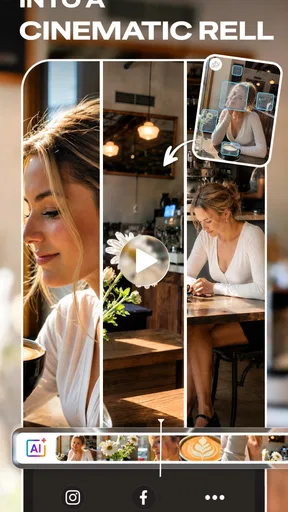
Another standout feature is the animation tools. You can add movement to your photos, making them come alive. Think of it as adding a sprinkle of pixie dust to your images. It’s super fun and can really make your posts stand out.
Editing Made Easy
What I really love about PhotoDirector is how easy it makes complex edits. The content-aware removal tool is like having a magic wand. Got a photobomber in your perfect shot? No problem, just swipe them away. It’s almost too easy!
And let’s not forget about the filters. There’s a huge variety, from vintage vibes to modern chic, and each one is customizable. You can tweak the intensity to get just the look you’re after. It’s like having your own personal stylist for your photos.
Why You'll Love It
Aside from the obvious cool factor, PhotoDirector is incredibly practical. It’s a one-stop shop for all your photo editing needs. The app’s AI capabilities make it not just smart, but super efficient. You can edit on the go, whether you're waiting for your coffee or chilling on the couch.
Plus, it’s constantly updated with new features and improvements. The developers really listen to user feedback, which is always a good sign. It shows they care about delivering the best experience possible.
Room for Improvement?
No app is perfect, and while PhotoDirector is pretty close, there are a few areas where it could improve. Some features require a bit of a learning curve, especially if you're not used to photo editing. But once you get the hang of it, it's smooth sailing. Also, some of the more advanced features are locked behind a subscription, but honestly, they’re worth it if you’re serious about your snaps.
Wrapping It Up
Overall, PhotoDirector: AI Photo Editor is a powerhouse of an app. It's fun, functional, and offers a ton of bang for your buck. Whether you're a casual snapper or a dedicated photo enthusiast, this app has something for everyone. Give it a try, and trust me, your photos will thank you.
How I would get a cleaner result
My most reliable approach is to keep edits restrained and review them at more than one scale. A small blemish or passerby can be easier to assess while zoomed in, but the finished photo should also look believable when viewed normally. I would make one change, inspect the edges around it, and only then move on to filters or portrait adjustments. This makes it easier to spot when an automatic fix has softened a detail or repeated part of a background.
For sky replacement, I would choose a source image where the horizon and lighting make sense for the scene rather than treating the most dramatic option as the best one. A bright sunset behind a subject lit by cool indoor light can look pasted on. The same restraint applies to animation: a subtle effect can draw attention to a post, but movement is not automatically an improvement for a photo intended as a keepsake. I would save the more expressive treatment for images where that playful style is the point.
What to expect from the free starting point
Because the app is free to download, it is practical to install it and see whether its editing style suits you before spending anything. I would not assume every tool or treatment is included at no cost: individual in-app items can be priced from $0.99 up to $234.99. If you are testing it with a child or on a family device, pause at purchase screens and check exactly what is being offered rather than tapping through quickly.
Its current version is 20.9.2, and it requires Android 10 or later. That makes compatibility worth checking before planning a shared-device workflow, particularly if the household keeps an older phone as a spare. PhotoDirector has an average rating of 4.1 from around 946,000 ratings, with about 24,000 written reviews, and has passed 50 million installs. Those figures suggest it has reached a broad audience, but they cannot tell me whether its particular mix of AI edits and creative effects will match your taste.
Choosing it over simpler editors
When I only need to straighten a horizon, crop out an edge, or make a quick brightness adjustment, the phone’s built-in editor is usually the sensible choice. It keeps the task short and avoids opening a larger creative toolkit. PhotoDirector earns its place when I want to remove an unwanted object, reshape the mood with filters, retouch a portrait, or add motion and other visual flourishes. In other words, I would reach for it when I have a specific creative goal, not automatically for every photo.
Compared with a traditional desktop editor, its appeal is speed and convenience rather than maximum precision. A phone is a comfortable place to make a picture shareable while waiting for a ride or sitting at a café; it is less comfortable for painstaking selections or consistent work across a large collection. If you mostly publish polished, carefully controlled images, a more advanced editor may be worth the extra effort. If you want occasional creative changes without a computer, this app is a more approachable compromise.
A useful fit for a household, with sensible boundaries
PhotoDirector is most appealing to a household that enjoys making pictures together but does not expect the editor itself to manage people, albums, or permissions. It can give a family member who likes visual effects room to experiment, while someone else can use it for a straightforward cleanup. The practical coordination is outside the app: decide whose photo is being edited, keep an untouched copy when it matters, and agree before sharing a heavily altered image of another person.
Cyberlink Corp’s photography app has been available since March 6, 2014, and its broad reach makes it easy to understand why it is familiar to so many mobile editors. Still, popularity is not a reason to use every feature. I would recommend it to people who enjoy trying different looks and are willing to spend a little time learning which adjustments remain convincing. I would skip it if I wanted only basic corrections, disliked AI-style changes, or needed a precise professional workflow. For a shared phone, the best verdict is that it can be a fun, capable creative tool—as long as the household handles purchases, originals, and sharing deliberately.
Pros
- Easy-to-use interface for quick edits.
- Wide range of AI tools for enhancement.
- Supports RAW image editing.
- Regular updates with new features.
- High-quality export options available.
Cons
- Some features require in-app purchases.
- Occasional ads can interrupt workflow.
- Limited free cloud storage.
- Can drain battery with prolonged use.
- Larger app size may affect storage.
FAQs for PhotoDirector: AI Photo Editor
What features does PhotoDirector: AI Photo Editor offer?
PhotoDirector: AI Photo Editor provides a wide range of features including AI-powered tools for enhancing photos, background removal, and object replacement. It also offers filters, effects, and advanced editing tools such as layer-based editing. Users can create stunning visuals effortlessly, making it suitable for both amateurs and professional photographers.
Is PhotoDirector: AI Photo Editor free to use?
PhotoDirector offers a free version with basic features, but to access premium features such as advanced AI tools and exclusive content, users can opt for a subscription. This subscription provides an ad-free experience and access to all the app's capabilities, making it more versatile for users who require extensive editing options.
How user-friendly is PhotoDirector for beginners?
PhotoDirector is designed to be user-friendly, with an intuitive interface that guides users through each editing step. It provides tutorials and tips for beginners to help them understand the features and make the most out of the app. The easy-to-navigate layout ensures that even those new to photo editing can achieve professional results.
What are the system requirements for PhotoDirector on Android and iOS?
For Android, PhotoDirector requires version 5.0 or higher, while iOS devices need iOS 13.0 or later. It's optimized to run smoothly on most modern smartphones and tablets, ensuring a seamless editing experience. However, for best performance, it's recommended to use it on devices with sufficient RAM and storage space.
Can I share my edited photos directly from PhotoDirector?
Yes, PhotoDirector allows users to easily share their edited photos across various social media platforms, including Instagram, Facebook, and Twitter. The app provides export options in different formats and resolutions, ensuring your images maintain high quality when shared, making it convenient for users who want to showcase their creativity online.


